
How do I view a subscriber’s payments for each plan in Subscription Payments?
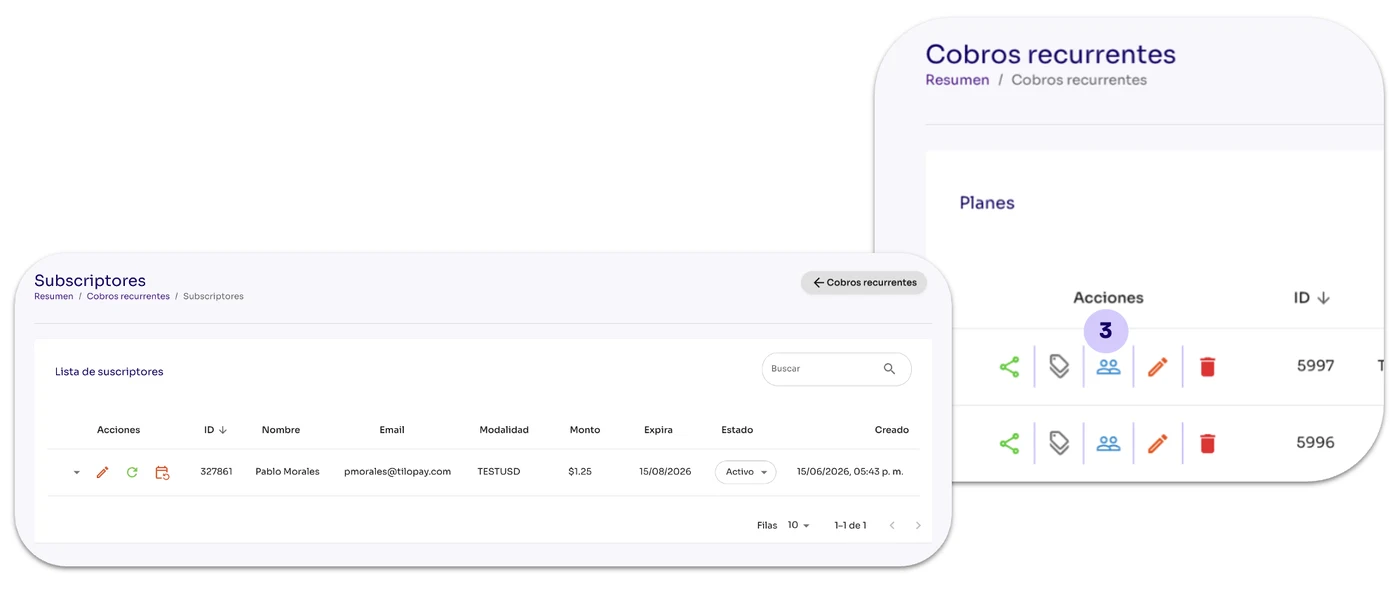
From the Recurring Payments section, click the Subscribers icon under the Actions menu.
From the Recurring Payments section, click the Subscribers icon under the Actions menu.
When you click the Coupons button, the available subscribers for the selected plan will appear.
Payment details: To view the payments made by a subscriber, click the arrow to the left of the Actions icons. The list will expand on the same screen.
[image 114]