
How do I view a plan's subscribers in Subscription Payments?
From the Recurring Payments section, click the Subscribers icon under the Actions menu.
From the Recurring Payments section, click the Subscribers icon under the Actions menu.
When you click the Coupons button, the available subscribers for the selected plan will appear.
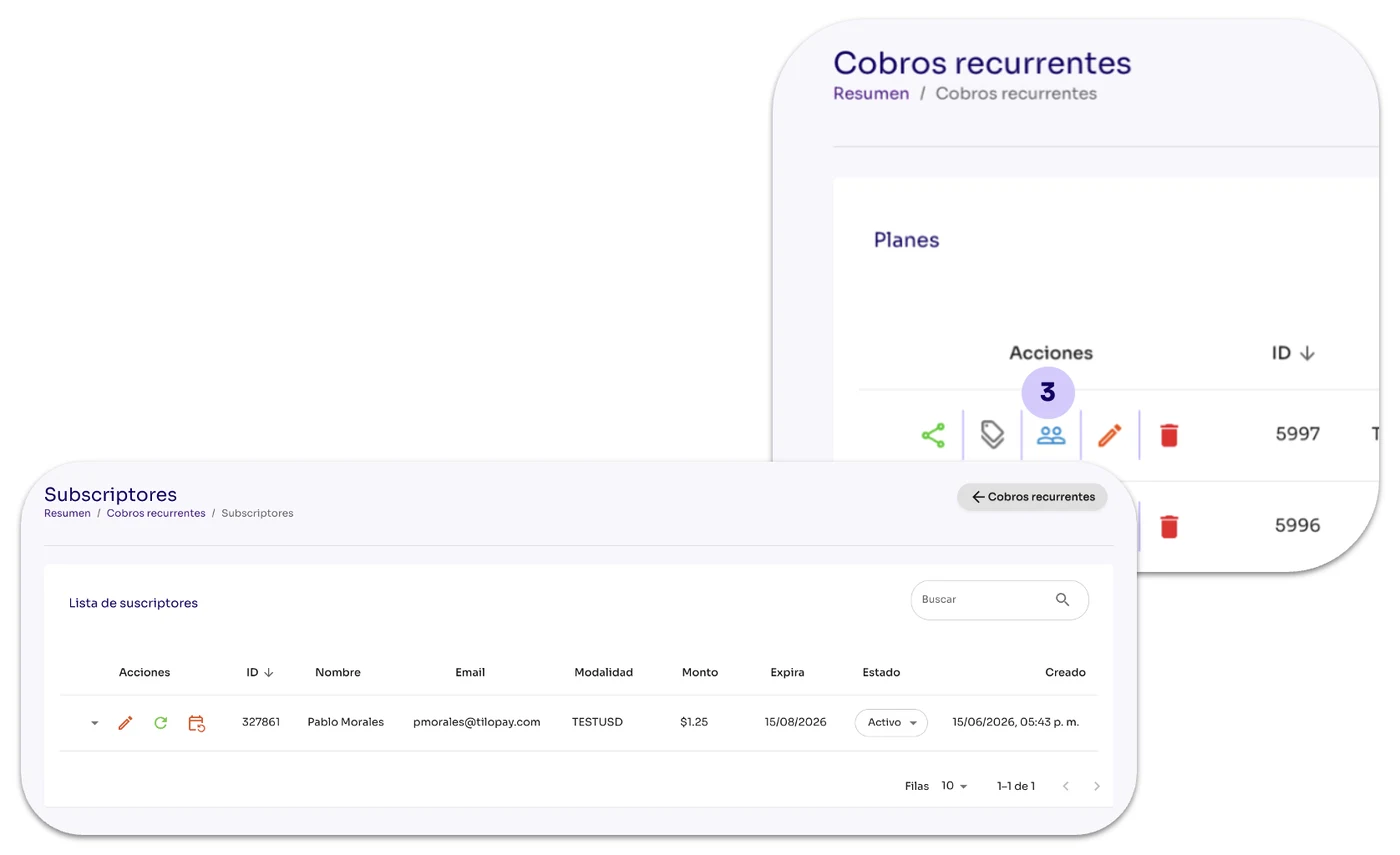
You can manually change the account Status for any of your Subscribers using the Status dropdown.
[table 110]
[image 110]