
How Do I Configure the Tilopay Payment Method for Credit or Debit Card Payments in VTEX Payment Terms?
VTEX is the platform that lets your store accept credit and debit cards in Central America and the Caribbean.
VTEX is the platform that lets your store accept credit and debit cards in Central America and the Caribbean.
You must install the app that interacts with the VTEX connector and payment flow. You can find it at the following link: https://{VTEXACCOUNT}.myvtex.com/admin/apps/tilopaypartnercr.tiloappcreditcard@1.0.0/install
You must replace {VTEXACCOUNT} with your VTEX account to install the app.
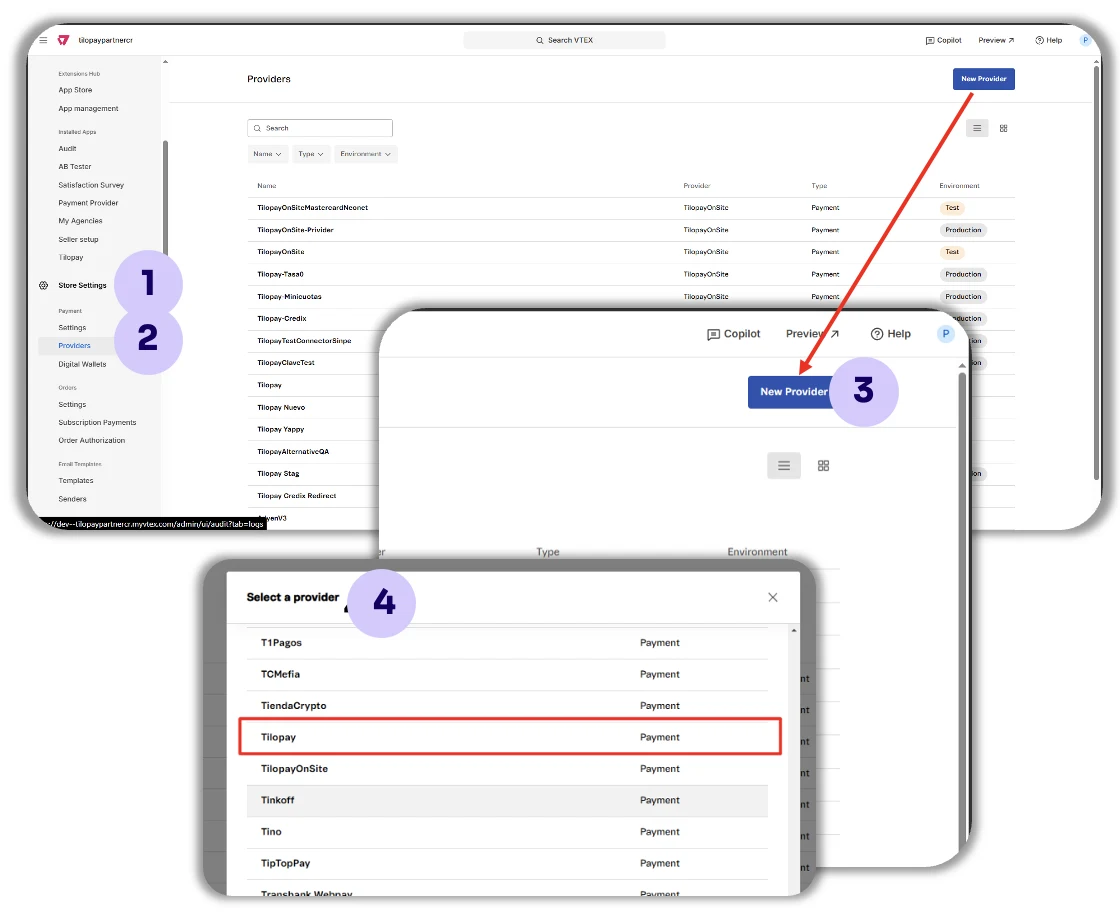
To install the connector:
Click Settings
Then click Providers
Then click New Provider
Search for TilopayOnSite.
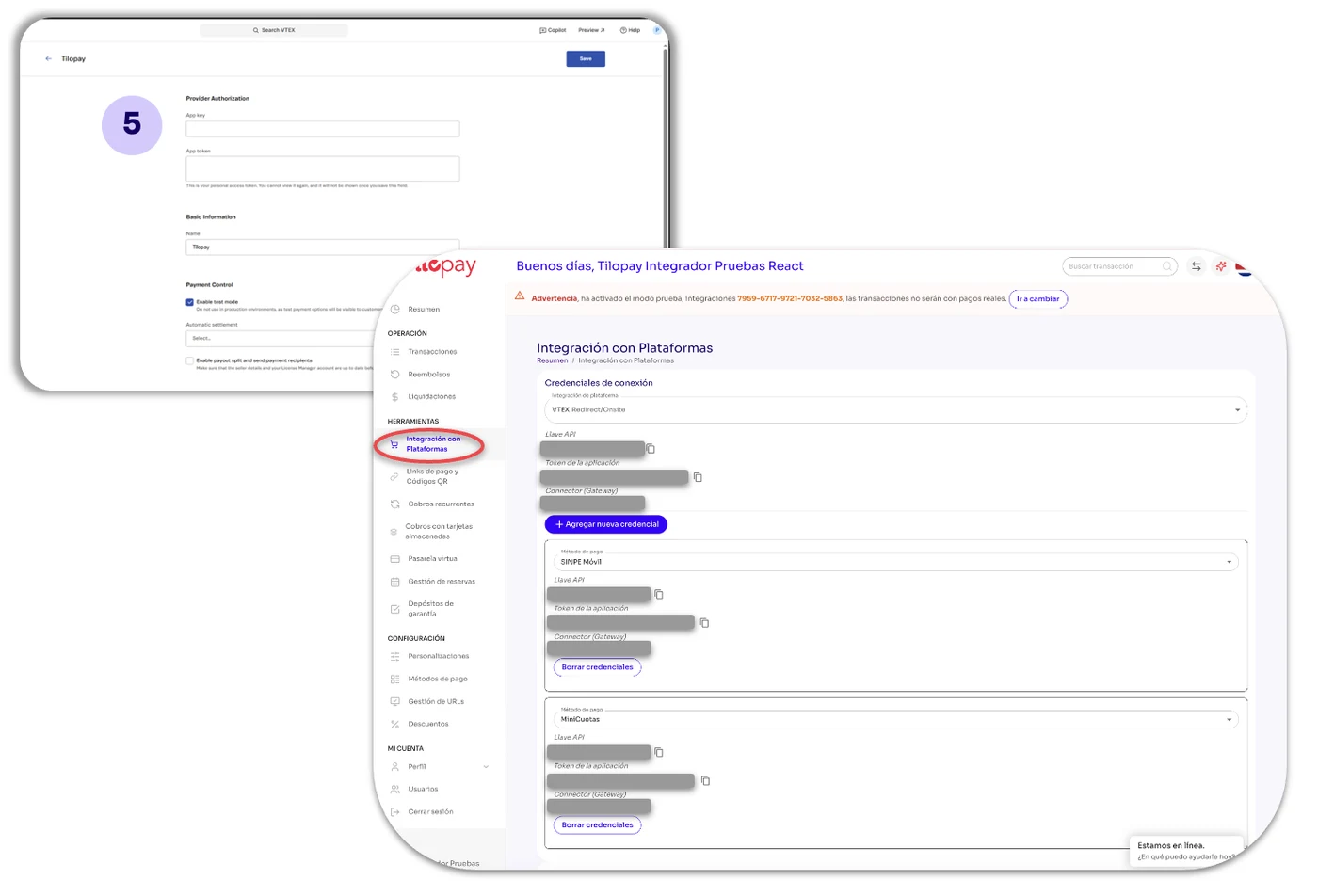
Fill out the form using the API information from the Tilopay Admin Panel.
From the Tilopay Admin Panel:
Go to the Tools module, click Integration with Platforms, and select VTEX from the drop-down list.
Copy the API credentials into the form for your VTEX store referenced in step 5.
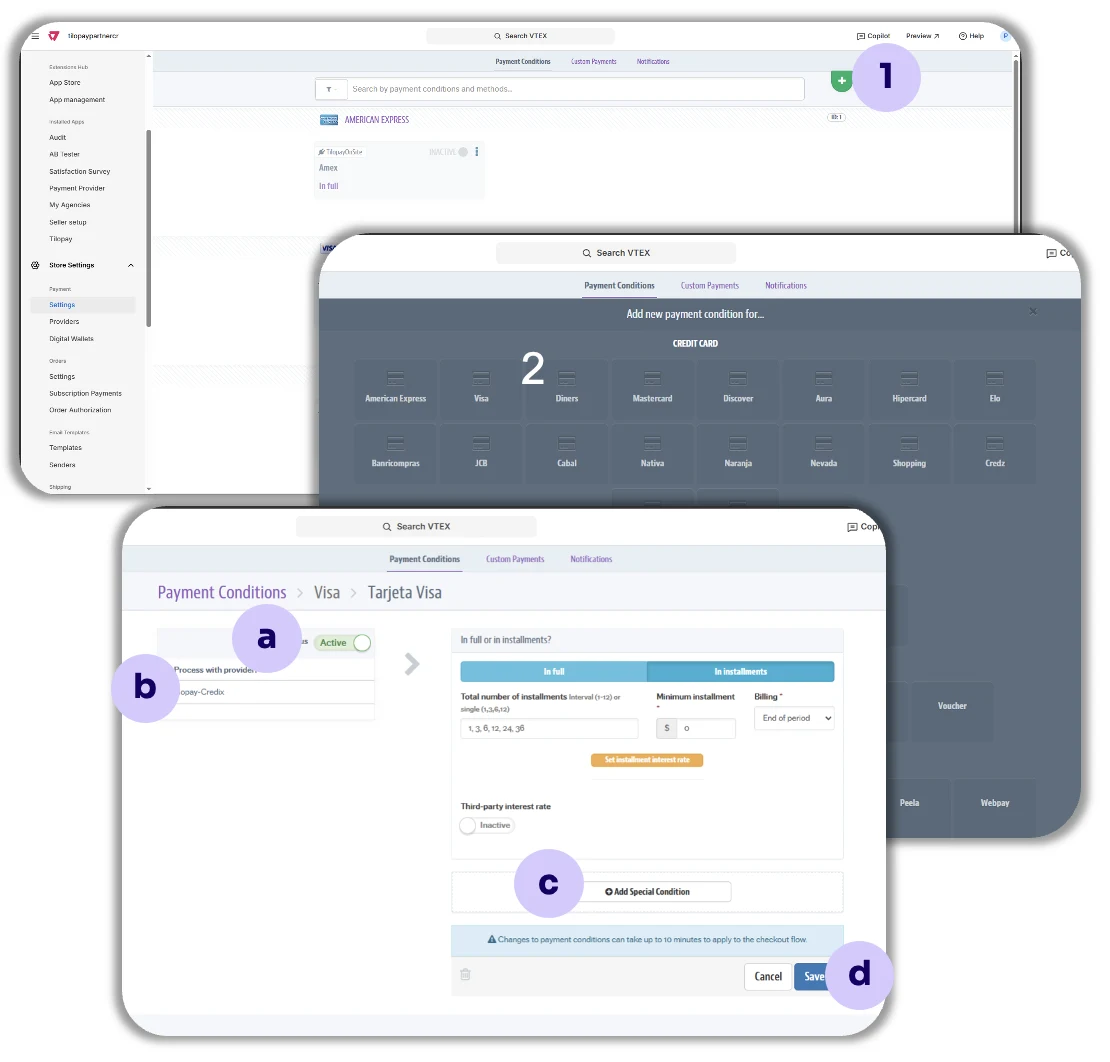
To create different Tilopay payment terms in VTEX:
Go to the Payment terms tab and click the plus sign ( + ).
Then select the card brands you will process in your VTEX store: Visa, MasterCard, and Amex.
Then configure the Payment term as follows:
a. Status: Activate the payment term by clicking the corresponding toggle.
b. Process with affiliation: Select the TilopayOnSite connector from the drop-down list.
c. Add special condition: If you want, you can add special conditions to each payment term.
d. Save: Always remember to save your selections.
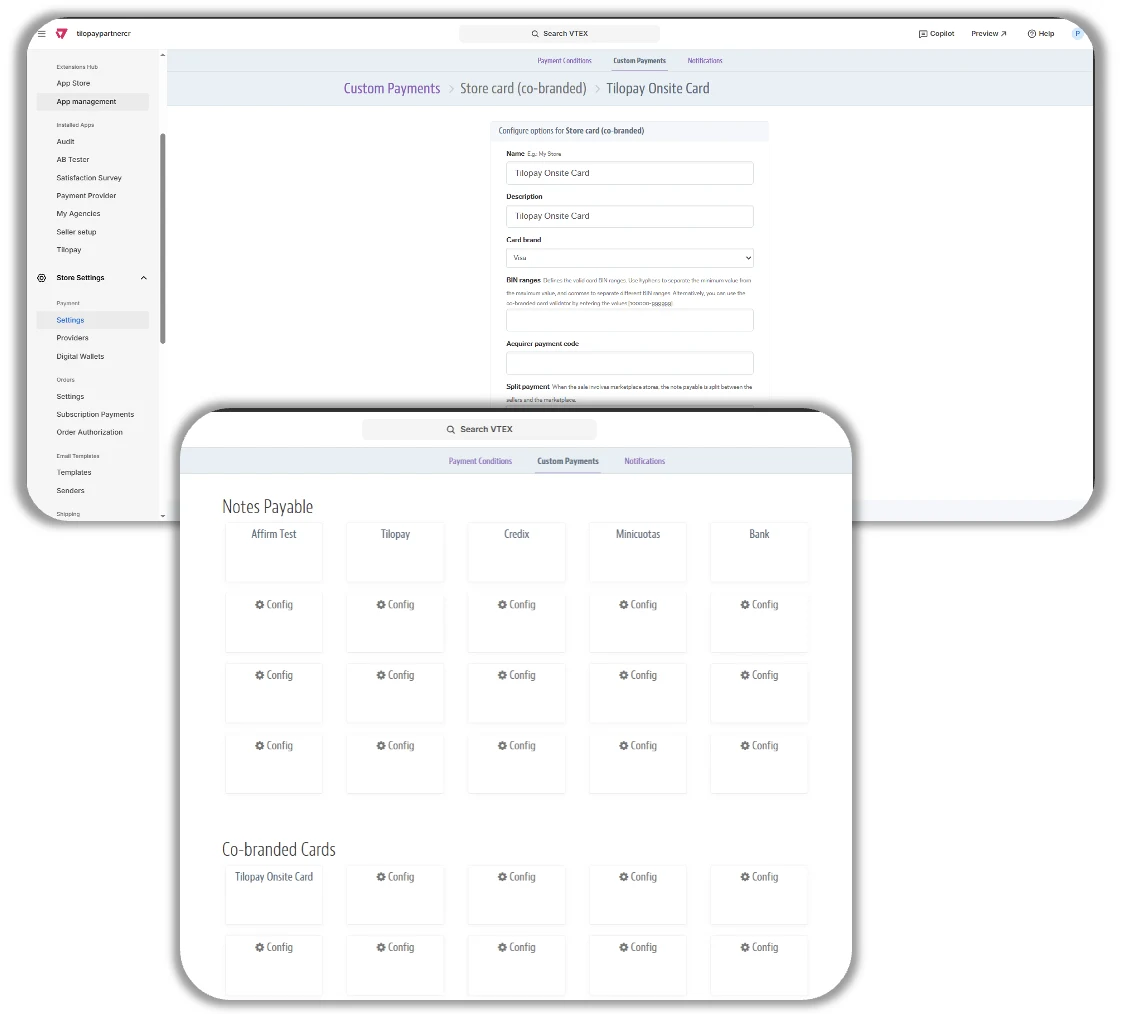
To configure Tilopay in VTEX for payments using local or alternative payment methods
Go to the Custom payments tab and fill in the requested information.
Then create the Payment term just as you did when configuring the TilopayOnSite connector in VTEX.
You must do this for each payment type you want to add: card payments, recurring payments, SINPE, etc.
To create different Tilopay payment terms in VTEX:
Go to the Payment terms tab and click the plus sign.
Then select the card brands you will process in your VTEX store: Visa, MasterCard, and Amex.
Then configure the Payment term as follows:
Status: Activate the payment term by clicking the corresponding toggle.
Process with affiliation: Select the TilopayOnSite connector from the drop-down list.
Add special condition: If you want, you can add special conditions to each payment term.
Save: Always remember to save your selections.
[image 54]