
How to Set Up Guesty in Tilopay
How to set up Guesty and Hostfully in Tilopay
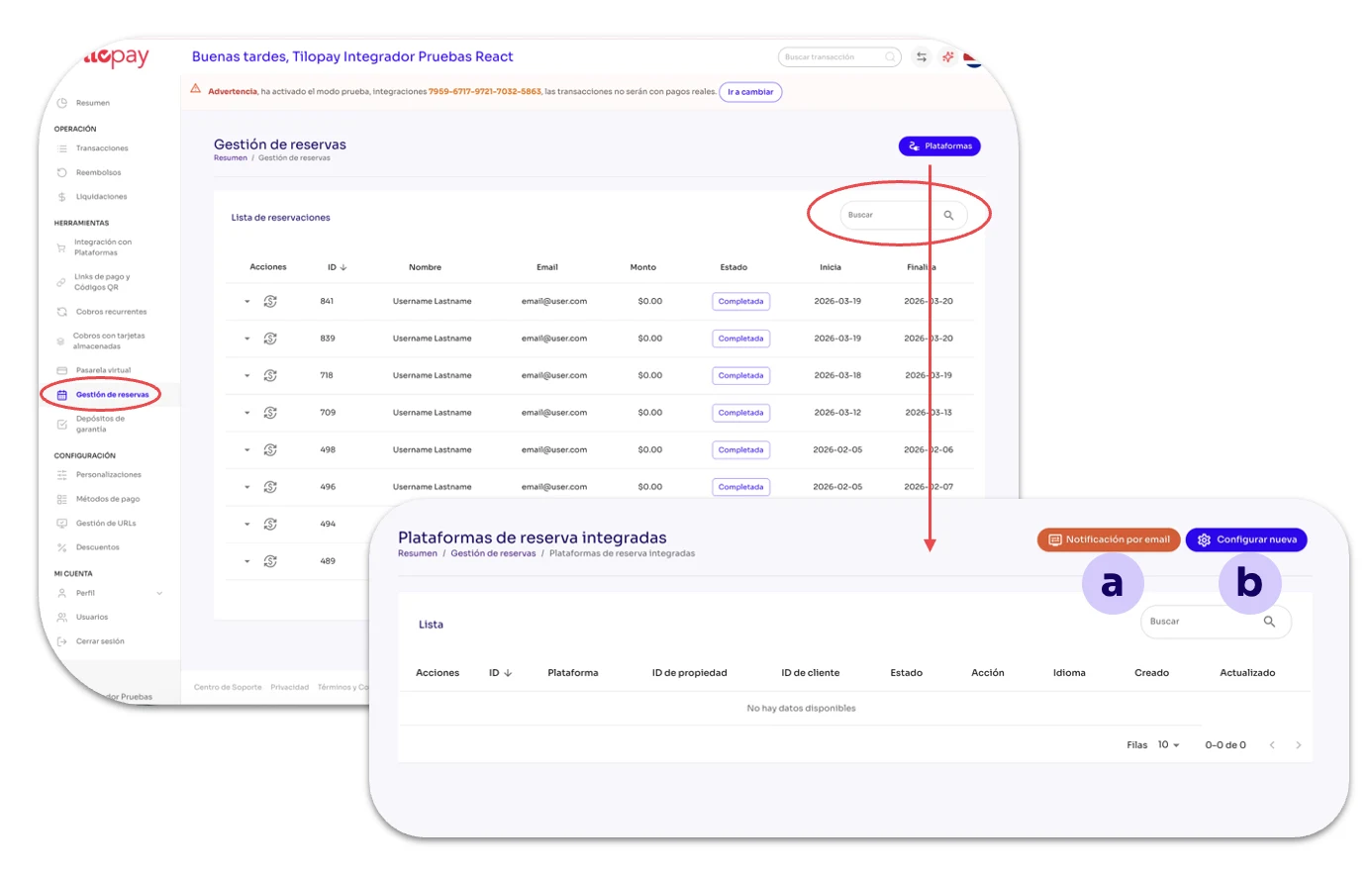
The Reservation Management section in the Tools module is where you can integrate your hospitality platform with Tilopay.
The screen includes a field where you can Search Reservations using any of their details.
In the Reservation Management section, you'll find the Platforms button, which gives you access to two additional buttons:
a. Email Notifications
b. Set Up New
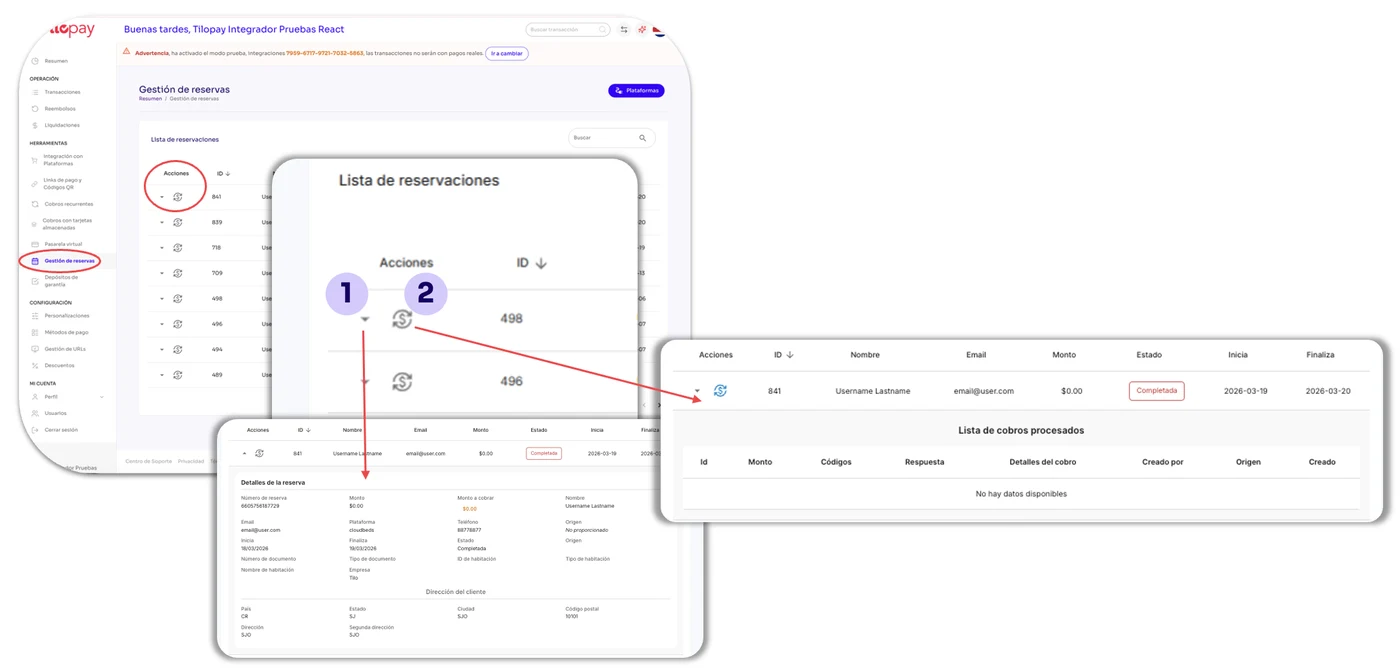
On the main Reservation Management screen, you can access the List of reservations that have been processed through Tilopay.
Details: This is the arrow icon to the left of the Reservation. Click it to display the Reservation details.
Payment History: Displays the details of customers Enrolled in that plan.
Platforms Button
Click the blue Platforms button to display all the platforms you've integrated with Tilopay.
The Actions buttons let you access:
Information: Information and setup instructions for the selected platform.
Update: Opens the integration form so you can edit it.
Trash: Use this when you want to delete subscribers. This action CANNOT be undone.
You'll also find buttons for Email Notifications and to Set Up a New platform.
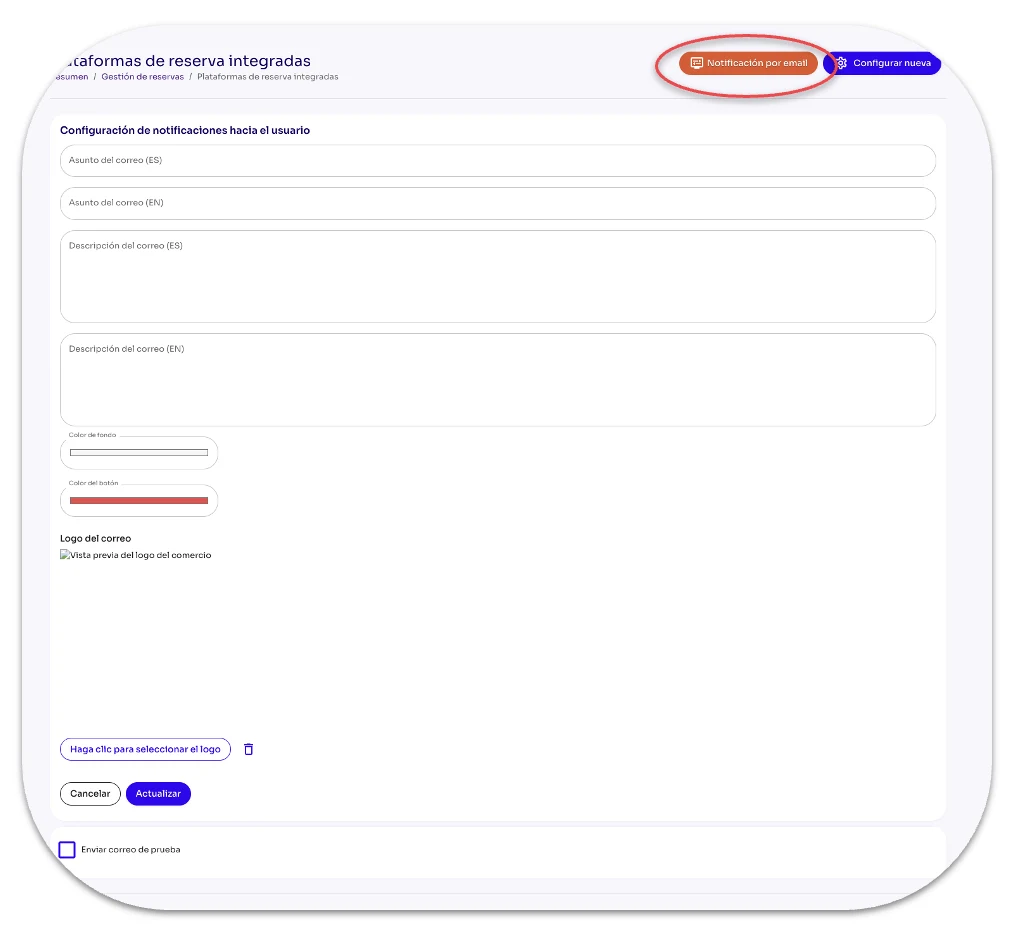
Email Notifications
As its name suggests, the Email Notifications button lets you configure notifications for your customers.
Email subject (ES): Enter the subject line you want to use for your message in Spanish.
Email subject (EN): Enter the subject line you want to use for your message in English.
Email description (ES): Enter the message you want to send your customers in Spanish.
Email description (EN): Enter the message you want to send your customers in English.
Text color: You'll see a full range of colors so you can select the one you want for the text.
Button color: You'll see a full range of colors so you can select the one you want for the button included in the email.
Email logo: Use the Click to select the logo button to find your logo on the electronic device (computer or mobile phone) you're using.
Set Up New
Set Up New opens the form you need to complete to configure each Platform integration.
[table 136]
[image 136]
You can find setup instructions for the Guesty and Hostfully platforms at ChargeAutomation.